How to Recover Deleted Files from a Hard Drive in Pune
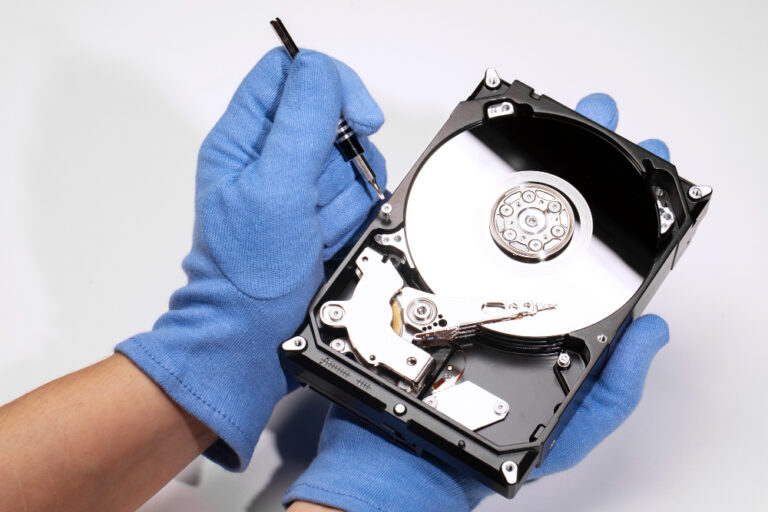
Deleted an important folder, pressed Shift+Delete, or emptied the Recycle Bin and realised a minute too late? On a hard disk, deleted files are not erased straight away. Windows simply marks the space as free. Until something new is written there, the files can usually be recovered. This guide walks through the options in the right order, from the free and simple to the professional.
First: stop writing to that drive
The most important step is the easiest: stop saving anything to the drive the files were deleted from. New files, downloads, browser cache and Windows updates can all land on the space your deleted files occupy and overwrite them for good.
- If the files were on an external drive, unplug it safely and keep it aside.
- If they were on your computer's main drive (C:), avoid installing programs or downloading anything onto it. If the data is very important, shut down and let a lab clone the drive.
- Never install recovery software onto the drive you want to recover from.
Step 1: Check the Recycle Bin and cloud copies
Files deleted normally (Delete key, not Shift+Delete) go to the Recycle Bin. Open it, right-click the file and choose Restore. Also check:
- OneDrive, Google Drive or Dropbox — each has its own recycle bin, usually kept for 30 days or more.
- Email and WhatsApp — you may have sent the file to someone.
- The program's own backups — Word, Excel, Tally and many accounting programs keep autosave or backup copies.
Step 2: Windows "Previous versions" and File History
Right-click the folder where the file used to be and choose Properties → Previous Versions. If File History or System Protection was turned on, older copies of the folder may be listed. On a Mac, check Time Machine if it was set up.
Step 3: Recovery software (only on a healthy drive)
If the drive is working normally — detected with the correct size, no clicking, not slow — recovery software can often find recently deleted files. Follow these rules to avoid making things worse:
- Install the software on another drive, or run it from a USB stick.
- Recover files to a different drive, never back to the same one.
- Start with a quick scan; use a deep scan only if needed.
- If the drive becomes slow, freezes or makes noises during the scan, stop immediately — it is failing, and long scans can finish it off.
Be careful with "free" tools from unknown websites; some carry malware. Our guide on professional recovery vs DIY software explains the limits of software.
Step 4: When to use a professional lab
- The files are business, legal, accounts or irreplaceable family data, and you cannot risk a failed attempt.
- Software found the files but they will not open, or names and folders are missing.
- The drive has also started clicking, beeping, freezing or disappearing.
- The deletion happened on an SSD (see below).
- A lot of data has been written since the deletion and you need the best possible result.
Deleted from an SSD? Act faster
Most SSDs use TRIM, which wipes the space of deleted files internally, often within minutes. Recovery of deleted files from an SSD is therefore much less likely than from a hard disk. If the files were on an SSD, shut down the computer immediately and contact a lab. See recovering files from an SSD.
Special cases
- Deleted partition: if a whole drive letter disappeared, see our deleted partition recovery guide.
- Formatted drive: see recovering a formatted hard disk.
- Files encrypted by ransomware: see our ransomware guide for Pune businesses.
- Photos deleted from a camera card or pen drive: see memory card recovery and pen drive recovery.
What happens at our lab
- Free diagnosis of the drive and the situation.
- Clone the drive so the original is not touched again.
- Recover from the file system first, which keeps original file names and folders where possible, then search for remaining files by type.
- You check the recovered files before paying.
Deleted-file recovery is a logical recovery and usually takes 1–2 days. If nothing is recovered, there is no charge.
Avoid this next time
Keep at least one automatic backup. The 3-2-1 backup rule is the simplest way to make deleted files a minor problem instead of a crisis.
Need help in Pune or PCMC?
Our lab is at Kalewadi Phata, Rahatani, with free pickup across Pune and Pimpri-Chinchwad. See hard disk data recovery in Pune or find your area.
Frequently asked questions
Can I recover files deleted with Shift+Delete?
Usually yes from a hard disk, if nothing much has been written to the drive since. Shift+Delete skips the Recycle Bin, but the data stays on the disk until it is overwritten.
How long do deleted files stay recoverable?
On a hard disk, until the space is reused, which can be minutes or months depending on how much the drive is used. On an SSD with TRIM, often only minutes.
Is it safe to use free data recovery software?
It can be, on a healthy drive, if you install it elsewhere and recover to another drive. Avoid unknown download sites, and stop if the drive gets slow or noisy.
Why do recovered files not open?
Parts of them were overwritten, or the software joined the wrong pieces. A lab can often do better by rebuilding the original file system from a clone.
How much does deleted file recovery cost in Pune?
It depends on the drive and situation. Diagnosis is free, you get the exact price before work starts, and you pay only if data is recovered.

Written by Abhishek
Founder & Lead Technician at DataExpert
"With over 10 years of experience in data recovery, I've seen everything from physical head crashes to complex RAID failures. My goal is to help you recover what others say is impossible."